If you’ve worked with the Dataverse Web API, you’ve written $filter=revenue gt 100000 a hundred times. But what about questions like:
- “Which accounts have at least one email mentioning invoice?”
- “Which accounts have all their tasks closed?”
A plain comparison can’t answer these, because the data you’re testing lives in a collection of related rows, not on the account itself. This is exactly what OData lambda expressions are for.
What is a lambda expression in OData?
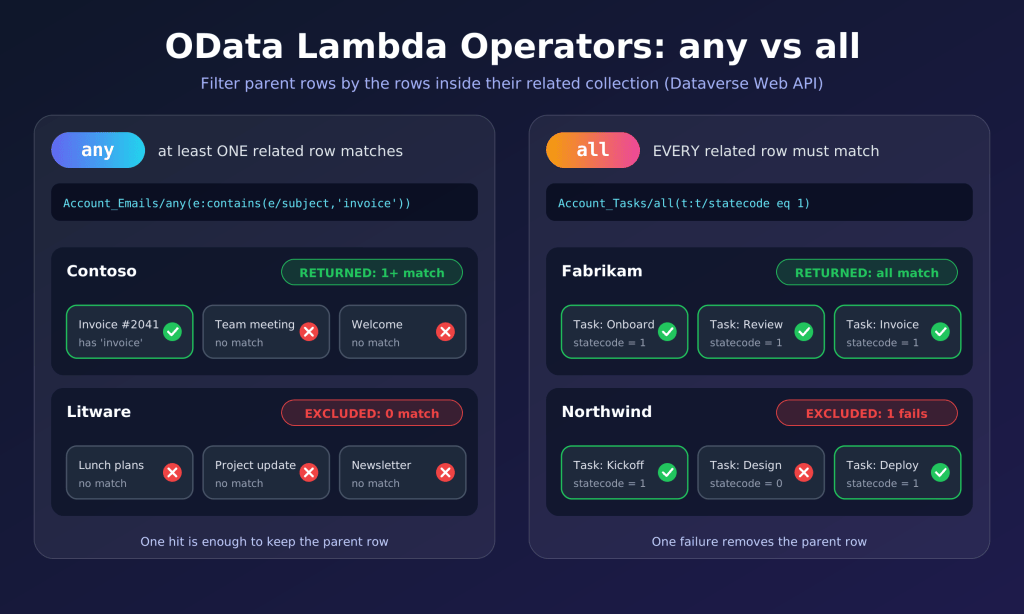
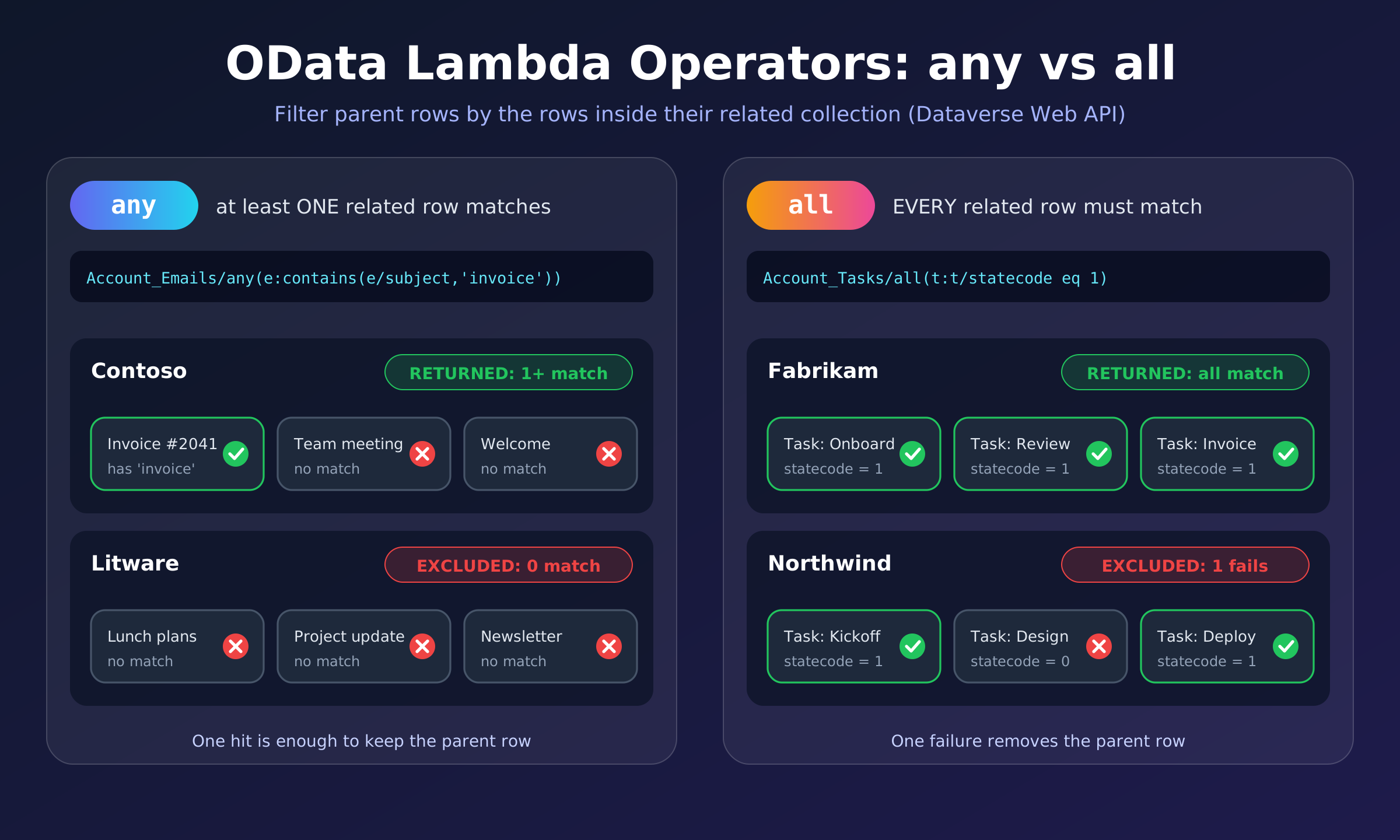
A lambda expression lets you test every row in a related collection against a condition, and keep the parent row only if the collection satisfies it. OData gives you two lambda operators:
| Operator | Returns true when… |
|---|---|
any | at least one related row meets the condition |
all | every related row meets the condition |
Calling any with no condition at all simply checks that the collection is not empty.
The syntax
<collection>/any(o:<condition using o>)
<collection>/all(o:<condition using o>)<collection>is a collection-valued navigation property (a one-to-many or many-to-many relationship name, for exampleAccount_Emails).ois a range variable: a short name that stands for one row of the collection while it’s being evaluated. By convention, use the first letter of the related table (efor email,tfor task).- Inside the condition, use
o/<column>to read a column on that related row.
Think of it as the C# LINQ you already know: accounts.Where(a => a.Emails.Any(e => e.Subject.Contains("invoice"))).
Example 1: any, accounts with a matching email
GET [Organization URI]/api/data/v9.2/accounts?$select=name
&$filter=Account_Emails/any(e:contains(e/subject,'invoice'))
Read it as: return accounts where any email e has a subject containing “invoice”.
Example 2: all, accounts with every task closed
GET [Organization URI]/api/data/v9.2/accounts?$select=name
&$filter=Account_Tasks/all(t:t/statecode eq 1)
Read it as: return accounts where all tasks t have statecode equal to 1 (completed).
Heads-up: by standard logic, all is true for an empty collection, so you should expect accounts with no tasks at all to show up too. If you only want accounts that have tasks and all are closed, combine it with an any check:
&$filter=Account_Tasks/any() and Account_Tasks/all(t:t/statecode eq 1)Example 3: multiple conditions on the same related row
You can use and / or inside the lambda:
GET [Organization URI]/api/data/v9.2/accounts?$select=name
&$filter=Account_Emails/any(e:contains(e/subject,'invoice') and e/statecode eq 0)
Here one single email must satisfy both conditions: subject contains “invoice” and it’s active. That’s different from two separate any calls, where each could be satisfied by a different email.
Example 4: nested lambdas
Lambdas can be nested to go a level deeper, and combined with regular filters:
GET [Organization URI]/api/data/v9.2/accounts?$select=name
&$filter=(contact_customer_accounts/any(c:c/jobtitle eq 'CFO' and
c/opportunity_customer_contacts/any(o:o/description ne 'N/A')))
and endswith(name,'Inc.')
Meaning: accounts whose name ends with “Inc.” and that have a contact with job title “CFO” who has at least one opportunity with a description other than “N/A”.
Things to watch out for
- Use the relationship’s navigation property name, not the table name. The exact names (like
Account_Emails) are visible in the$metadatadocument or the table’s relationships in the maker portal. - Lookup navigation properties can’t wrap a collection. A filter that goes through a single-valued lookup and then into a collection, such as
primarycontactid/new_contact_account/any(...), is not supported. - Performance matters. Keep nested lambdas shallow and always use
$selectto return only what you need. Dataverse also limits a query to 500 conditions in total. - String comparisons are case-insensitive, and special characters in values need URL encoding (for instance
+becomes%2B). - Avoid leading wildcards like
%valuein string filters; they can’t be optimized.
Quick cheat sheet
| I want accounts where… | Filter |
|---|---|
| there is at least one related row | Relation/any() |
| at least one related row matches | Relation/any(x:x/col eq 'v') |
| every related row matches | Relation/all(x:x/col eq 'v') |
| one row matches multiple conditions | Relation/any(x:x/a eq 1 and x/b eq 2) |
Wrapping up
Whenever your filter question starts with “which records have any / all related records that…”, reach for any and all. Once the collection/any(x: ...) shape clicks, it replaces a lot of extra round trips and client-side filtering.
Reference: Filter rows by using OData, Microsoft Learn

