
Recently we encountered a strange issue in our Portal where the working Web Page started displaying not so descriptive but a generic error which many of you may have faced earlier for different reasons. So, the error looks as below:
 This was a generic message. Thanks for the feature where we can now Disable the Custom error which is displayed above and can show the exact error in Portal. For more details on that you may refer the below link:
https://docs.microsoft.com/en-us/dynamics365/customer-engagement/portals/view-portal-error-log
So, Disabling the Custom Error gave me the exact error in my case as you can see below:
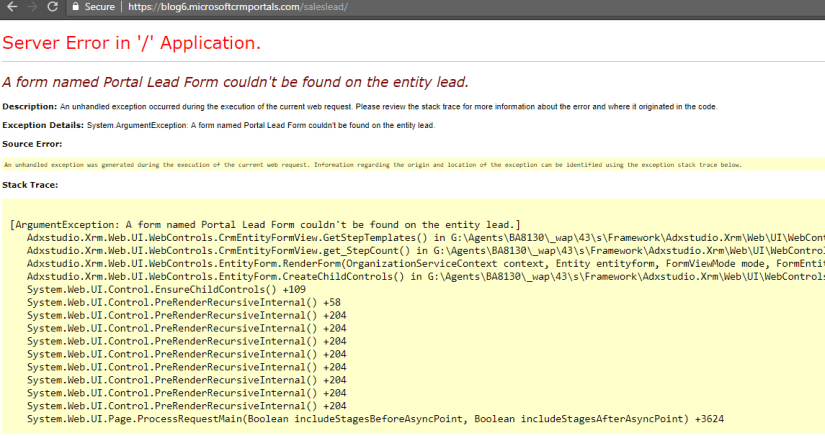
This was strange as the configuration was working fine earlier and then it stopped working. But the fact was that we had changed the form name from “Portal Lead Form” to “Extended Portal Lead Form”.
So, we opened the Entity Form to check the form selected on the record.

And there you can see the dropdown is blank and the Form Name field contains the old value i.e. Portal Lead Form which was causing the error.
So, the conclusion is if you are changing the Form Name of any Form which is used in Portal Configurations then make sure you update the records manually with the latest values.
Hope this helps 😊

 D365 CRM Topics by Sid