
Recently I had signed up a trial environment of Dynamics CRM to explore the latest features. When i entered my default CRM url “https://blog15.crm3.dynamics.com” in the browser, it appended “forceUCI=1&pagetype=apps” to the url and gave me below page with options to select the respective App to open.

Further on selecting the “Dynamics 365 – custom” app i.e. the web client app by default it was navigating me to the UCI App as shown below:
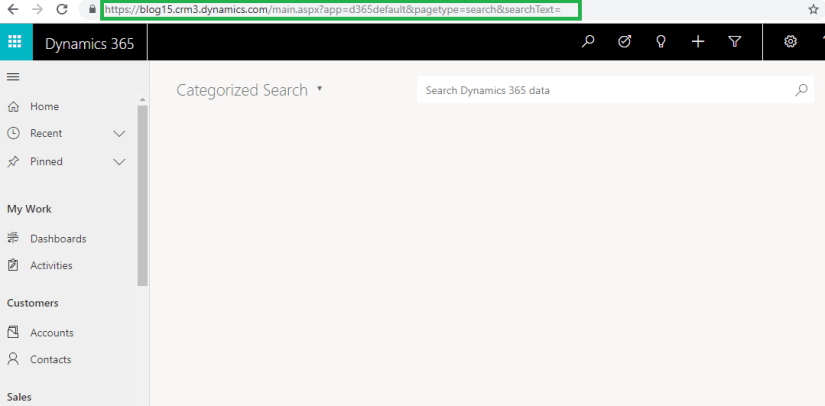
So I was basically not able to navigate to my Default Legacy Web Client App.
Further on investigating and checking through Settings I found that we have an option now to enable/disable the legacy web client i.e. “Enable only the Unified Interface” which is set to Yes by default.
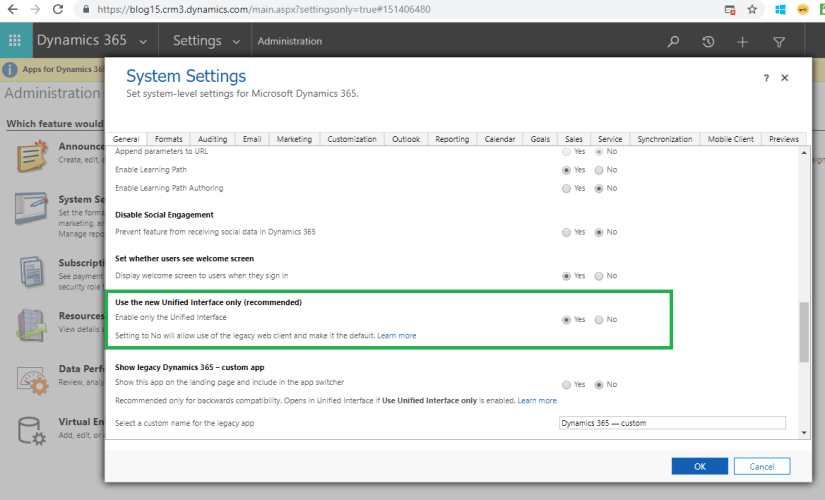
And it was this setting which was causing only UCI app layout to be displayed even if i tried to open the legacy Web Client apps.
Further I set the setting to ‘No’ and was able to navigate to the Web Client app as below:

This may be an indication that Microsoft might plan to move from Legacy Web Client to UCI in future major release.
Hope this helps!!

 D365 CRM Topics by Sid