
Today we will see how we can exit a RTM journey in between using Custom Triggers.
Generally in sales journey we often come across scenarios where after a certain product is bought by the customer then we need to exit that customer from that particular Journey so that the customer won’t receive any similar promotional emails as the customer has already taken up your product, so now there’s no need to send him/her the same follow-up emails.
I am going to use a simple journey to showcase this scenario.

As per above “Customer Tracking Journey #1” – We are targeting specific customers, in our case segment with predefined 7 members. So once they enter the journey next step I have created is a Create Task step to make a task for the customer owner to follow up with them.
After that I have added a wait of 15 minutes so that after 15 minutes it will move to the next step of creating second follow up task for the Contact owner.
Now we will take a scenario where suppose while first follow-up the customer buys the product so now we don’t need to have the second follow-up task i.e. we need the customer to exit from the journey.
Here we will make use of below setting –
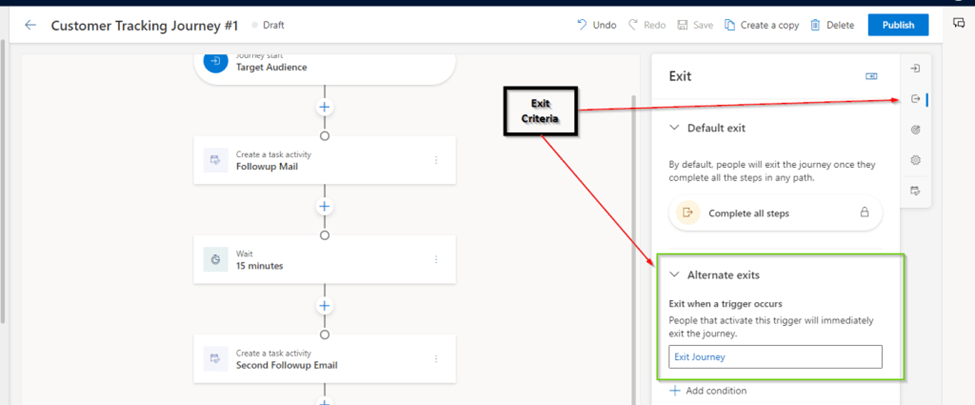
In the Journey itself from right hand corner you will see the option to specify the Exit criteria. By Default it uses Complete All Steps. But as we need to use some conditional exit so I am going to select Alternate Exit Option 1 i.e. Exit when a trigger occurs.
In this case I am using below custom trigger –

I am using OOB trigger – i.e. When “Exit Journey” record (related to the contact) is created. So when this record will be created the respective contact should exit the journey.
Once my journey was live it showed below results –
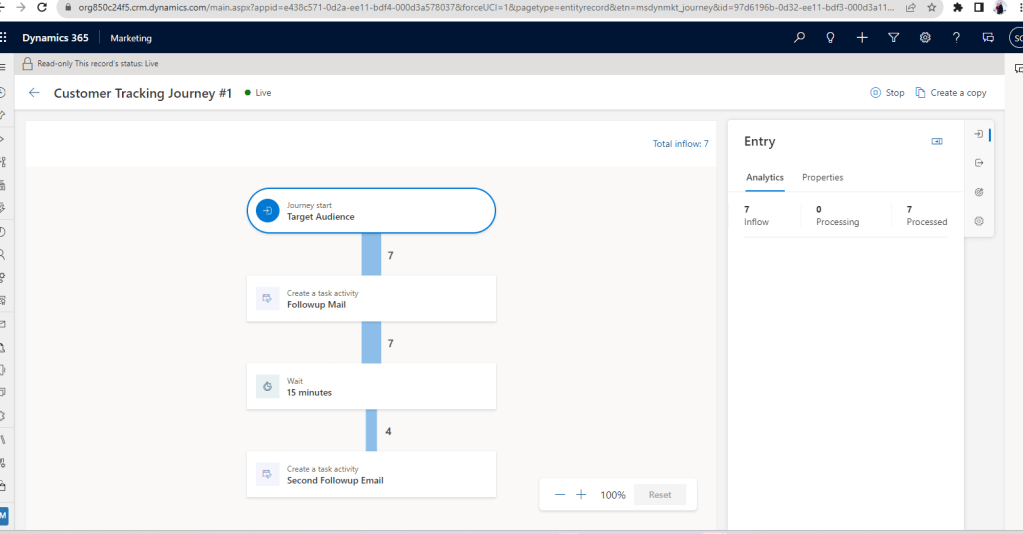
So as you can see here only 4 contacts went ahead after the first wait of 15 minutes and 3 contacts exited the Journey. The 3 contacts exited the journey as I had created 3 Exit Journey records for those contacts as you can see below-
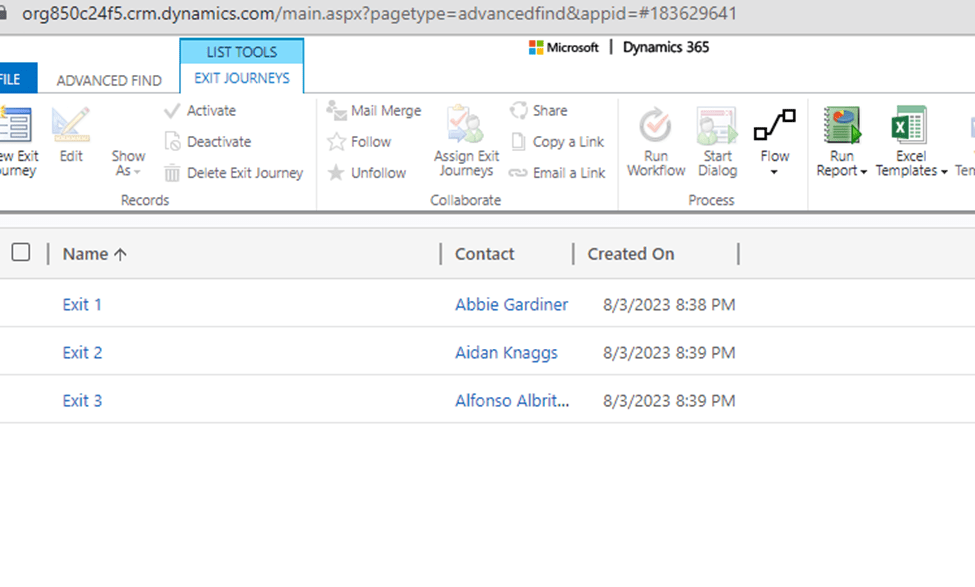
In this example I have used Contact, but similar can be achieved for Lead too. With this approach we can have the customer exit the particular journey based on the Custom Trigger.
Note- Only one thing I am unable to find is the details of contacts exited the particular journey. But as I am using Custom entity to track it, I am able to figure out that details for now.

 D365 CRM Topics by Sid
1 thought on “Exit RTM Journeys using Exit Criteria -Part 1 using Custom Triggers”