Bulk deletion in Microsoft Dataverse has traditionally been treated as an environment-level administrative task. With solution-aware bulk deletion jobs, Microsoft is making data lifecycle configuration much easier to manage through standard Application Lifecycle Management (ALM) practices.
What are solution-aware bulk deletion jobs?
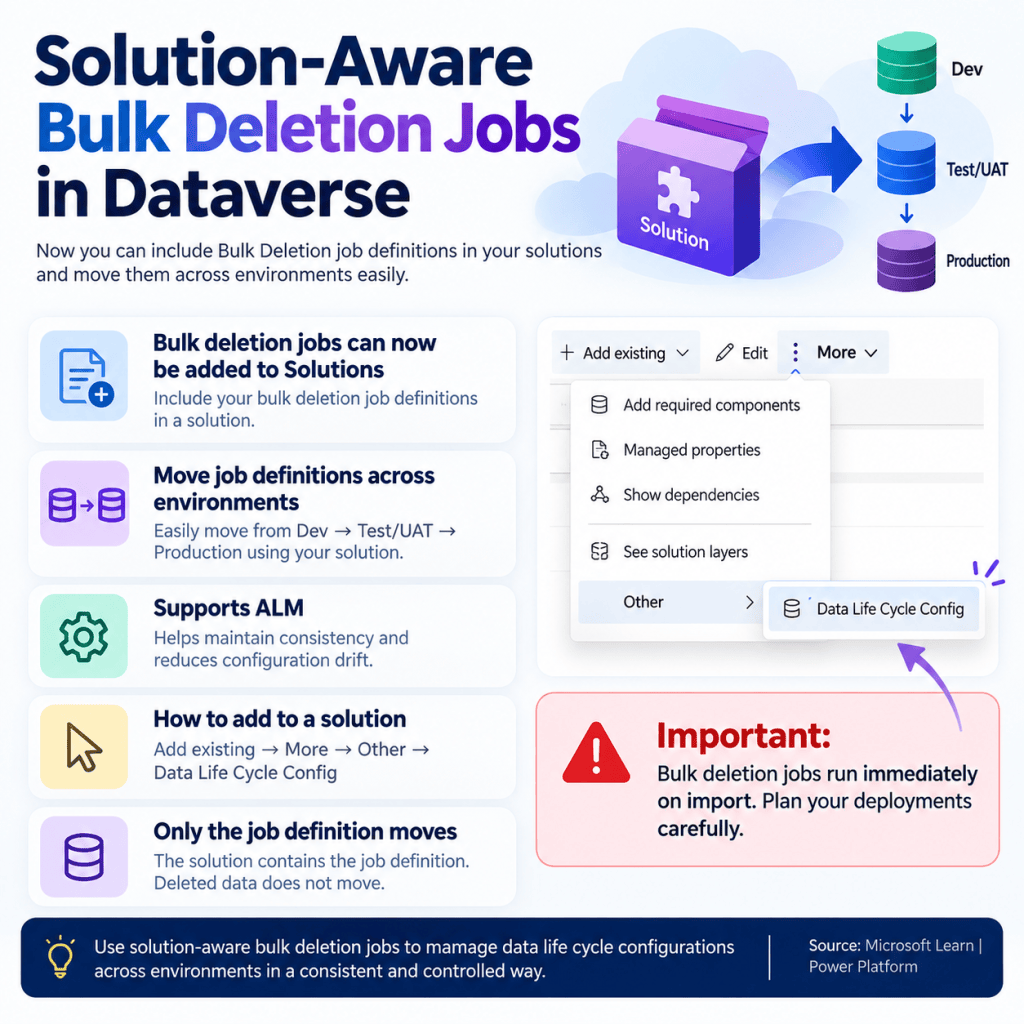
Dataverse bulk deletion jobs allow administrators to remove records that match defined criteria. The important improvement is that a bulk deletion job definition can now be included as part of a solution.
This means the configuration no longer needs to be recreated manually in every environment. You can define the job, add it to a solution, and move that configuration through your ALM path such as Development → Test/UAT → Production.
Why is this useful?
For teams managing multiple Dataverse environments, this provides a much cleaner deployment model. Instead of manually configuring equivalent cleanup jobs in each environment, the job definition becomes part of the solution deployment process.
- Improves consistency across environments.
- Reduces manual configuration after deployments.
- Helps prevent configuration drift between Dev, UAT and Production.
- Allows data lifecycle configurations to follow established ALM practices.
- Makes environment setup and repeatable deployments easier to manage.
How do you add a bulk deletion job to a solution?
From your solution, use the option to add an existing component and navigate to the Data Life Cycle Config component. The bulk deletion job definition can then be included in the solution and transported to another environment.
A simple way to think about the process is:
Configure → Add to Solution → Export → Import → Execute in the target environment
Important: understand what actually moves
The solution contains the bulk deletion job definition. It does not move deleted records or data between environments. When deployed, the definition is used against the data that exists in the target Dataverse environment.
⚠️ Important deployment consideration
One point deserves special attention: according to Microsoft’s documentation, bulk deletion jobs run immediately when the solution is imported.
That makes deployment planning particularly important for Production. Before importing a solution containing a bulk deletion configuration, validate the query criteria carefully and understand exactly which records could be affected in the target environment.
A practical ALM example
Imagine an organization needs to periodically clean up old integration log records from Dataverse.
- Create and validate the bulk deletion configuration in Development.
- Add the configuration to your solution.
- Deploy the solution to Test/UAT and validate the behaviour against representative data.
- After validation and appropriate change controls, deploy the same solution to Production.
This approach makes the cleanup configuration part of your deployment lifecycle rather than a separate manual administrative activity.
Final thoughts
This may look like a small platform improvement, but it is useful for teams that take Dataverse ALM seriously. Moving data lifecycle configurations through solutions can improve consistency, repeatability and governance across environments.
The biggest thing to remember is the execution behaviour during solution import. Treat bulk deletion definitions with the same care as any other deployment component capable of affecting Production data.
Microsoft documentation
For the latest configuration details and limitations, refer to the Microsoft Learn documentation on solution-aware bulk deletion jobs.


Leave a Reply