Recently, we encountered a scenario where our client reported that the French user is unable to Insert the Email Template which the English user could see by Default on lead while create an email
i.e. as below no options were seen:
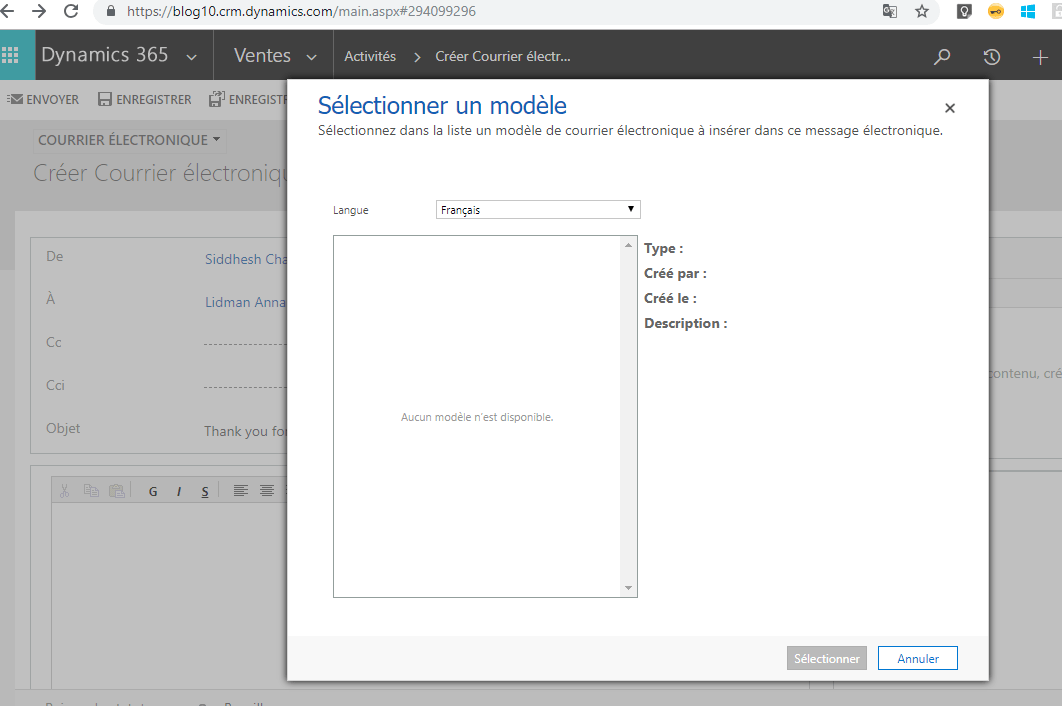
So when the user changed the language to English he was able to select the Template and Insert it into the Email.
However later on the client reported the bug that Status Reason field on lead is getting populated in English and not with the French.
So this brought to us the issue that the Email Templates are language specific. i.e. it depends on the language we select while creating the Email Template.
So in our case, we had selected English language in the Email Template so it was showing English value of the Option set when selecting that:
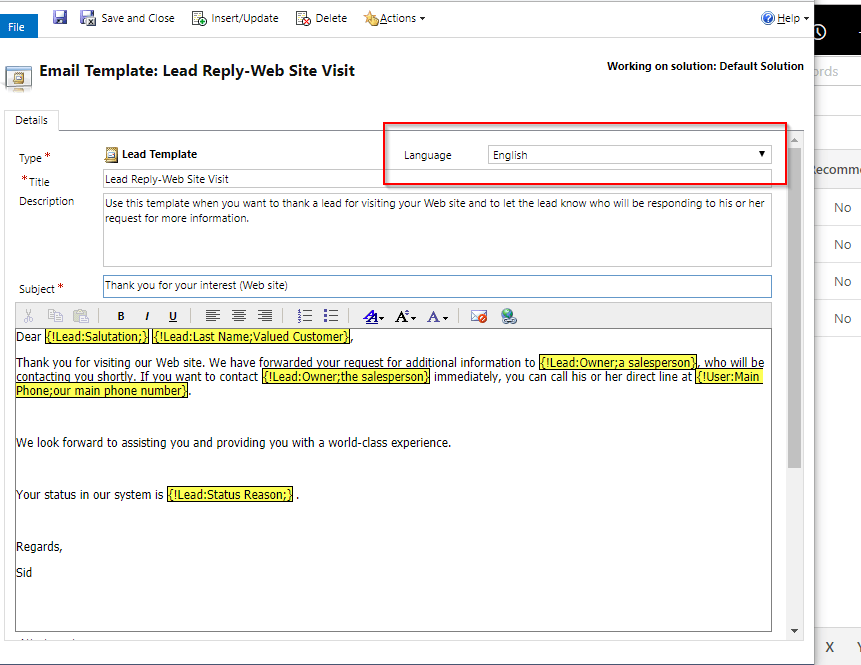
So for the French users to make the template visible by Default we had to create a same Email Template in French language and then the value of Status Reason in the Email was populated with the French translation in the system.
So if you are working with Multi language enable organization then make sure you are using multiple language Email Templates too to avoid the translation issues.
Hope this helps.


Leave a Reply